






Disclaimer: This guide is for informational purposes. Streaming success depends on individual effort, market trends, and content quality. Monetization is subject to Twitch’s official terms of service.
Hitting the Twitch Affiliate milestone is the first massive win for any new streamer.
It changes your channel from a casual hobby into a legitimate side hustle by unlocking subscriptions, bits, and ad revenue.
But the official Twitch Affiliate requirements can look deceptively simple.
Many creators stream for 50 hours a week thinking brute force will get them there, only to watch their average viewer count plummet.
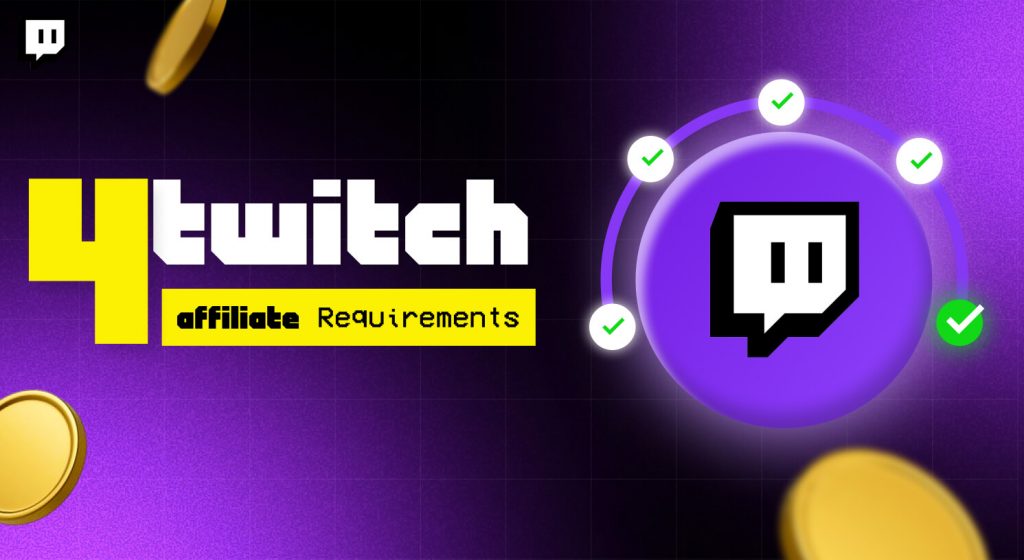
So, to join the Twitch Affiliate program, you need to meet four specific metrics within a rolling 30-day window.
You need 50 followers, 8 hours of broadcast time, stream on 7 unique days, and maintain an average of 3 concurrent viewers.
Here is exactly how to get affiliate on Twitch without killing your love for streaming, along with the harsh realities most tutorials leave out.
Quick Summary: The Twitch Affiliate Checklist
If you are in a hurry, here is the quick breakdown of what you need to achieve over a 30-day period:
| Metric | Target Goal | The Golden Rule |
|---|---|---|
| Followers | 50 Followers | Do not use follow-for-follow loops. |
| Time Broadcast | 8 Hours Minimum | Streaming too much can hurt your average viewer count. |
| Unique Days | 7 Separate Days | Spreading streams out helps consistency. |
| Concurrent Viewers | 3 Average Viewers | The hardest metric. Turn off your viewer count while live. |
The 4 Twitch Affiliate Requirements Explained
Let’s review the exact process of becoming a Twitch affiliate. Twitch uses your creator dashboard to track performance over a rolling 30-day period.
This means if you had a great stream 31 days ago, those numbers no longer matter.
[50 Followers] –> [8 Hours Broadcast] –> [7 Unique Days] –> [3 Avg Viewers] = Twitch Affiliate Invitation
1. Get 50 Followers
Firstly, getting 50 followers is an easy first step, but it is also where many new creators get caught up on the wrong path.
New creators often buy “follow-for-follow” on Discord or X.
Do not do this. The empty followers will not watch your streams. New creators need real lurkers or chat watchers to get through the next, harder steps.
Focus on building a clean following, and let your friends know you’re live.
2. Broadcast For Atleast 8 Hours
Secondly, you must stream for a cumulative total of 8 hours. This works out to about 2 hours per week.
Most enthusiastic new creators will exceed this in their first weekend. However, pay attention to how your hours correspond to your viewership averages.
3. Stream On 7 Unique Days
After that, you cannot simply do one big 8-hour stream and be done. Twitch wants to see that you can commit to a regular streaming schedule.
They want you to be able to stream consistently at least 2-3 times per week.
Aim for 7 unique days of streaming within the 30-day period.
4. Maintain An Average Of 3 Concurrent Viewers
This is also a catch-all metric that determines whether you will receive an affiliate invitation.
This means that across all the hours you’ve streamed recently, you must average 3 viewers per hour.
If you stream 5 hours to an empty room, it will take many hours for the algorithm to realize your average is well above 3.00.
The “Viewer Average” Trap: Why More Streaming Can Harm You
When it comes to streaming, most people think that the more you do, the more success you will have.
If you do long, empty streams, this couldn’t be further from the truth.
Mathematically, if you stream for 2 hours to 3 friends, and then another 4 hours to an empty room, your average drops dramatically.
- Stream A (High Velocity): 2 Hours x 3 Viewers = 6 Viewer Hours. Average = 3.0
- Stream B (Over-Extended): 2 Hours x 3 Viewers + 4 Hours x 0 Viewers = 6 Viewer Hours. Average = 1.0
When you are first starting out, keep your streams short and your energy high.
2 hours is the sweet spot. After you’re done, go out and interact with the people who watch you.
Moreover, raid another small streamer right when you finish. This keeps your viewer density high and your metrics up.
Actionable Strategies To Get Affiliate Fast
Here are some strategies that will help you properly:
· Turn Off Your Public Viewer Count
Having the live viewer counter is a mental crutch. Knowing how many people are watching affects your energy and real-time commentary.
If the counter hits 0, you are suddenly bored, you slow down, and anybody who pops in to watch gets greeted with a boring, unfriendly stream.
So, turn off your viewer count in your streaming software (such as OBS Studio) and pretend you always have 100 people viewing.
· Leverage External Platforms
Twitch has notoriously bad discoverability, especially for new accounts. If you’re at the bottom of a game directory, nobody will stumble onto your channel.
Instead, cut your stream highlights into externally shared social media posts.
Furthermore, use TikTok or YouTube Shorts to post highlights and drive traffic back to your Twitch channel schedule.
· Optimize Your Chat Setup
A common problem for new streamers is chat lag. If someone writes a comment, it takes 10 seconds for the streamer to see it and reply. By then, they’ve already closed the tab and left.
Make sure your stream latency is set to “Low Latency” in your Twitch dashboard.
Moreover, you need to keep your chat dashboard open on a second monitor or your phone so you can respond within seconds.
Affiliate vs. Partner: What Changes?
Once you clear these milestones, Twitch sends an invitation notification directly to your creator dashboard and email.
You will fill out your tax information, select a payout method, and officially join the program.
But how does it compare to becoming a Twitch Partner?
| Feature | Twitch Affiliate | Twitch Partner |
|---|---|---|
| Sub Emote Slots | Starts at 5 slots per tier | Up to 60 slots |
| Ad Revenue | Yes | Yes (Plus advanced options) |
| Cheering with Bits | Yes | Yes |
| VOD Storage | 14 Days | 60 Days |
| Transcode Priority | As available | Highest Priority |
The Reality Of Twitch Payouts
Monetization sounds great, but don’t set unrealistic expectations. Twitch shares subscription revenue 50/50 with Affiliates on standard tiers.
If a viewer purchases a $4.99 Tier 1 subscription, you receive roughly $2.50.
Twitch will also withhold payments until you reach a $50 payout threshold for methods like direct deposit or PayPal (or $100 for wire transfers).
If you generate $15 a month, you will only see that money once you cross the cumulative $50 mark.
Moreover, you need to remember that digital revenue is always subject to taxation, so set aside funds for any equipment you purchase.
Don’t fall for fraudulent donation spam (rogue affiliates can sometimes send false donation notifications and then dispute the charge).
Next Steps For Your Channel
To meet your goals on Twitch, focus on fostering a community, not over-analyzing data points.
- Check your current dashboard: Firstly, you need to see what metric is impeding your “Path to Affiliate” achievement tab.
- Trim your next three streams: Secondly, you need to cut them off at a tight, white-knuckled 90 to 120 minutes.
- Bounce a friend or relative: Thirdly, you can ask them to keep your stream up on a browser tab in the background to give you a stable floor for your average concurrent viewers.
For official announcements and in-depth guidance on stream setup tweaks, bookmark the Twitch Legal Document Directory to stay up to date on your channel’s compliance as you grow.